How to Change Your Server Name on the Game Panel
Why Change Your Server Name?
Changing your server name is always recommended, and it's useful for you or your sub-users to identify the server easily. Another reason you should change your server name is so that if you happen to own multiple game servers, you can tell which one you want to go into and manage.
This is not only helpful for you and your sub-users but also for the staff at Iceline, in case we ever need to locate your server, and it makes it much easier to look up your server if you run into an issue.
How Do I Change My Server Name?
- Navigate to your game panel.
- Next, click on “Settings” in the left side menu; here you'll find some of your game settings.
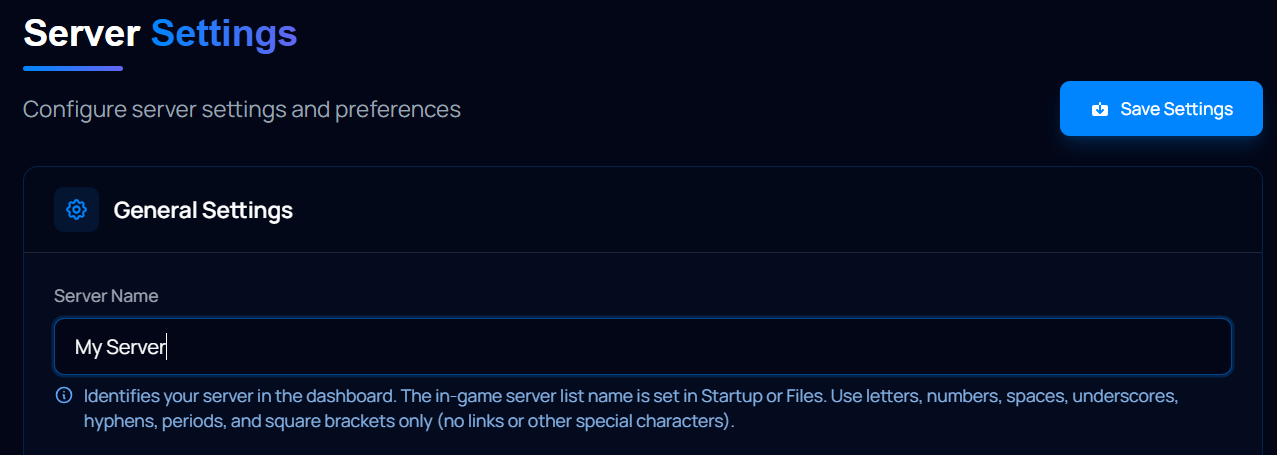
- Locate the "Server Name" text box, and replace the name with whatever you want it to be.
- Click on Save Settings when you're done.
Facing Any Issues?
If you have any issues with changing your server name or have any questions, feel free to contact us through a ticket or through our live chat! Our team works around the clock to ensure you get a fast reply.