How to Change Your VPS Password
Why Change Your Iceline Virtual Private Server (VPS) Password?
Your VPS password is the key to your server files and information, so it's critical to ensure your password is secure and hasn't been compromised. Downloading files from shady sites can also result in backdoors that hackers could use to get access to your VPS.
With that in consideration, it’s also recommended to change your virtual private server password to something new every once in a while, especially if you use the same password across multiple accounts (which is not recommended at all). Updating your virtual private server password is easy if you are already logged into your account. Just follow these steps:
How to change your VPS password
- Go to your VPS panel.
- Stop the VPS.
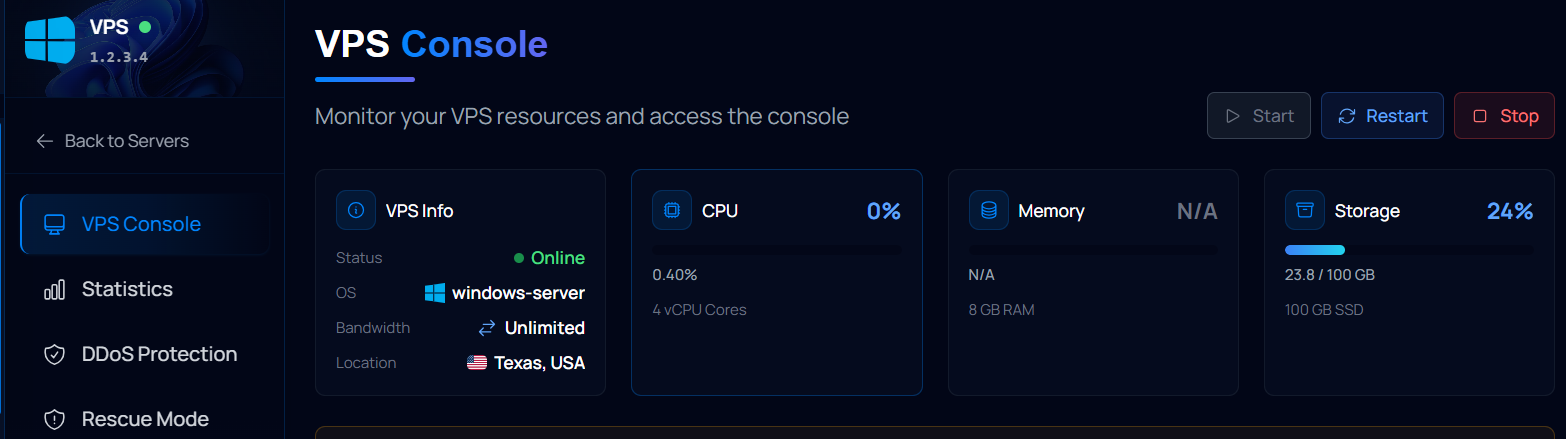
- In your sidebar, go to Settings.
- Locate the "Root Password" section.
- Type your new password in both boxes.
- Click on Update Password when you're done.
- Restart the VPS.
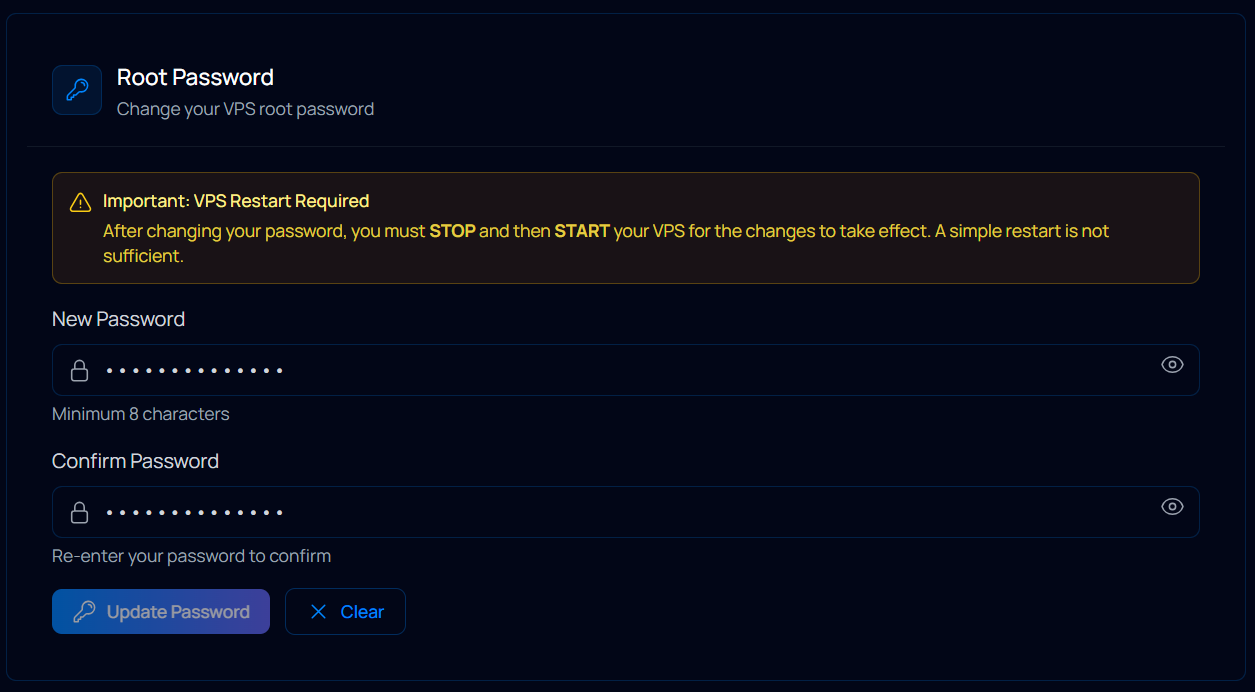
That's it! Your VPS password will be automatically changed once you start the server.
Facing Any Issues?
Please make sure you have typed in your current password correctly, and that the new passwords match. Make sure the VPS restarted correctly after the change.
If you are still unable to change your password, feel free to contact our support via ticket. Our team works around the clock to ensure you get a fast reply anytime!