How to Protect Your Minecraft Server From DDoS Attacks
Minecraft is a sandbox game and one of the highest-selling games in history, known worldwide, and a tool for players to express their creativity in amazing ways while also having fun. Minecraft can be enjoyed solo or in multiplayer with a server, which is more fun and expands the possibilities, as you can use plugins that add features that can vary from expanding the vanilla commands to inserting new minigames and worlds within the server, furthermore, you can even use Mods with Forge
There are a few things to keep in mind while selecting a server hosting, such as the quality of the service, but you also need to take into consideration the security provided, mainly against Cyberattacks
What are Cyberattacks?
A topic you may already know from our other blogs, Cyberattacks can be done in many ways, either by getting access to the admin panel of the server through a “backdoor” in a plugin, by exploiting a vulnerability from the server, or even through social engineering if the password isn’t secure enough, all of them are aimed to cause disruption in a server’s functionality, and this is also the case for DDoS attacks
Fortunately, there are ways to protect your server from the aforementioned attacks, such as downloading plugins from a secure source, keeping all your resources updated, and following security criteria for your password, but what about DDoS attacks?
How do DDoS attacks work?
DDoS attacks, also known as distributed denial-of-service, is a form of cyberattack that interrupts a server’s functionality (either partially or fully) by flooding it with thousands of requests and/or unwanted traffic. These attacks can consist of hundreds of thousands of previously malware-infected PCs all around the world unknowingly to their owners, also known as a ‘botnet’ managed by a hacker, or in Minecraft’s case, by a mere troll. This can result in problems such as:
- Delay in server responses
- Increased resource usage
- Sudden shutdowns
- Players getting kicked out of the server
In a world where the Internet has become such an essential tool, it is no wonder these attacks are more frequent and can result in heavy losses for unprotected servers
So, how can I protect my Minecraft Server from DDoS attacks?
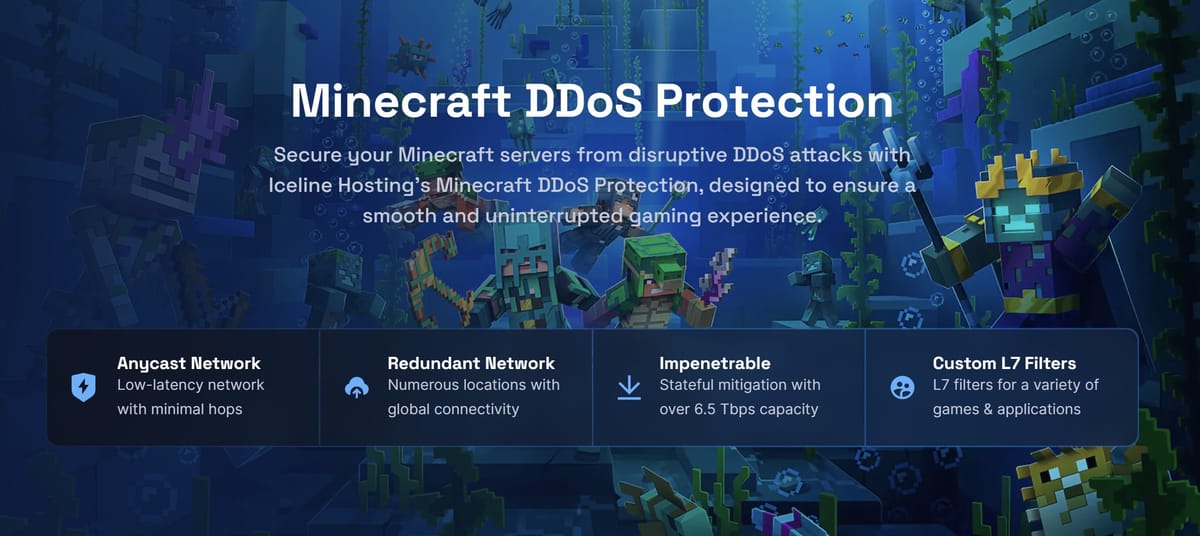
Fortunately, Iceline Hosting works with the Iceline Shield technology, which is an innovative DDoS protection service that utilizes a range of different mitigation providers and techniques to ensure that your server remains online. Our DDoS protection has the following characteristics.
- Protection against all types of DDoS attacks. (TCP, UDP, DNS, IP fragmentation and ICMP attacks.)
- Stateful mitigation with over 6.5 Tbps capacity (Which works great against high attacks)
- Protection against common layer 3/4/7 attacks
There are two ways to protect your Minecraft server with us:
- By purchasing a service with us, as our DDoS protection is included with all our services.
- By purchasing a Game Proxy, our alternative meant for external servers.
You can start your journey in Minecraft today, and don’t worry about DDoS attacks anymore by purchasing a server with us! Just follow these steps
How to purchase a Minecraft Server with us
- Head to the Minecraft server hosting page and scroll down to see the available plans
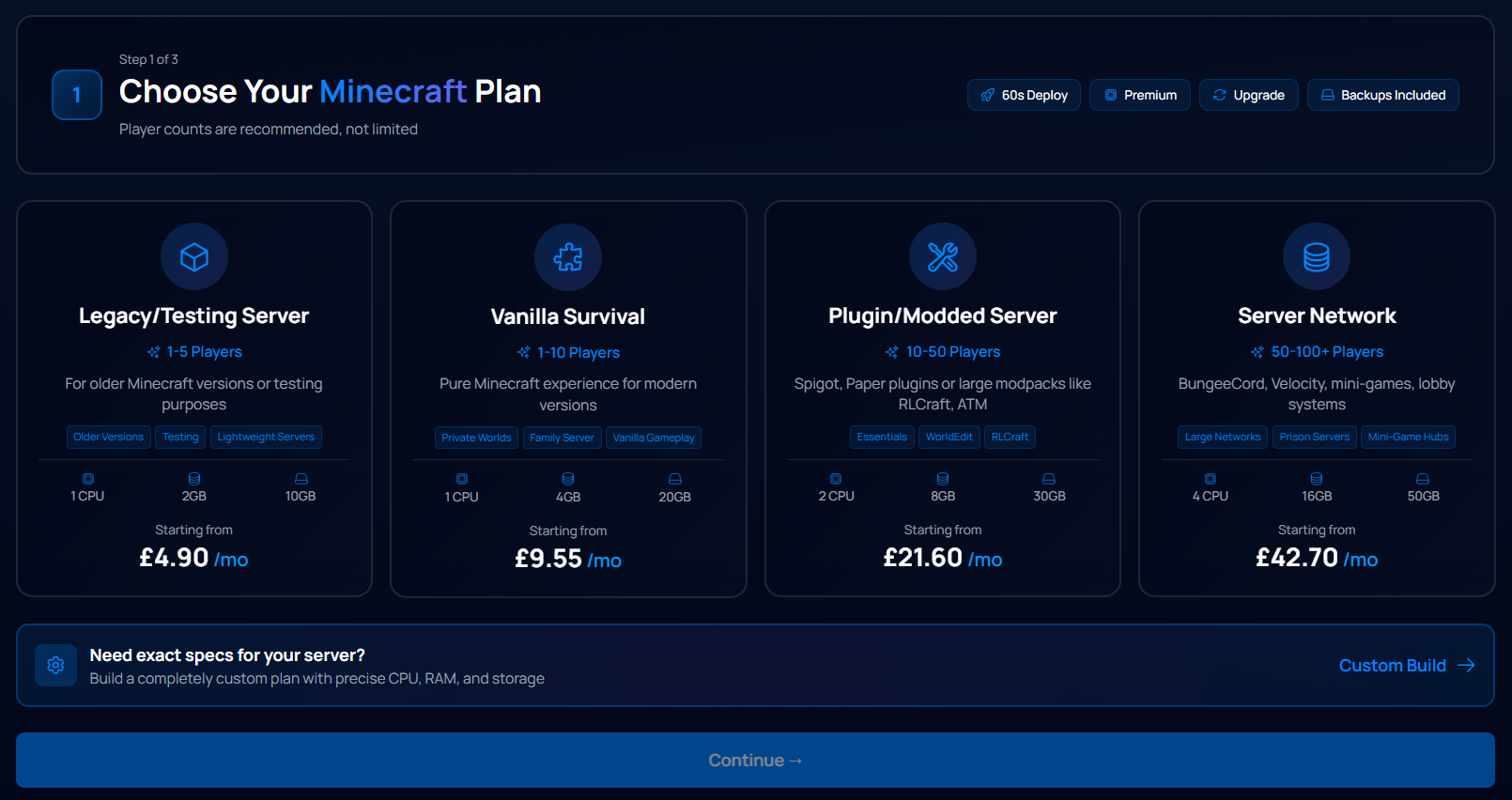
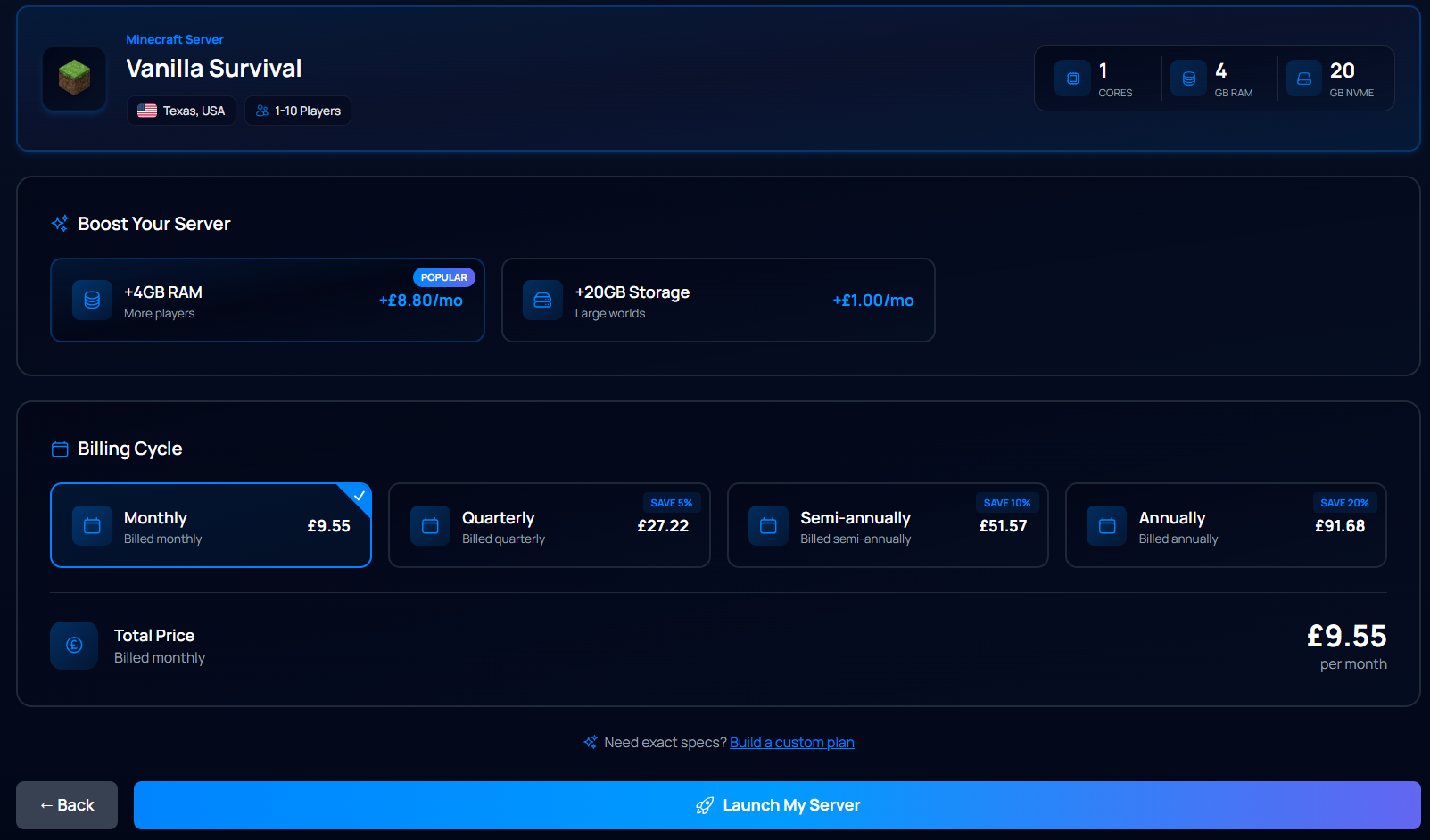
- Pick the one that better suits your needs and then click on ‘Continue’, select your server location and then click on "Launch Server" when you're ready to proceed. You will be redirected to the Shopping cart, where you can edit each aspect of the server (RAM, Storage, CPU Cores) as required
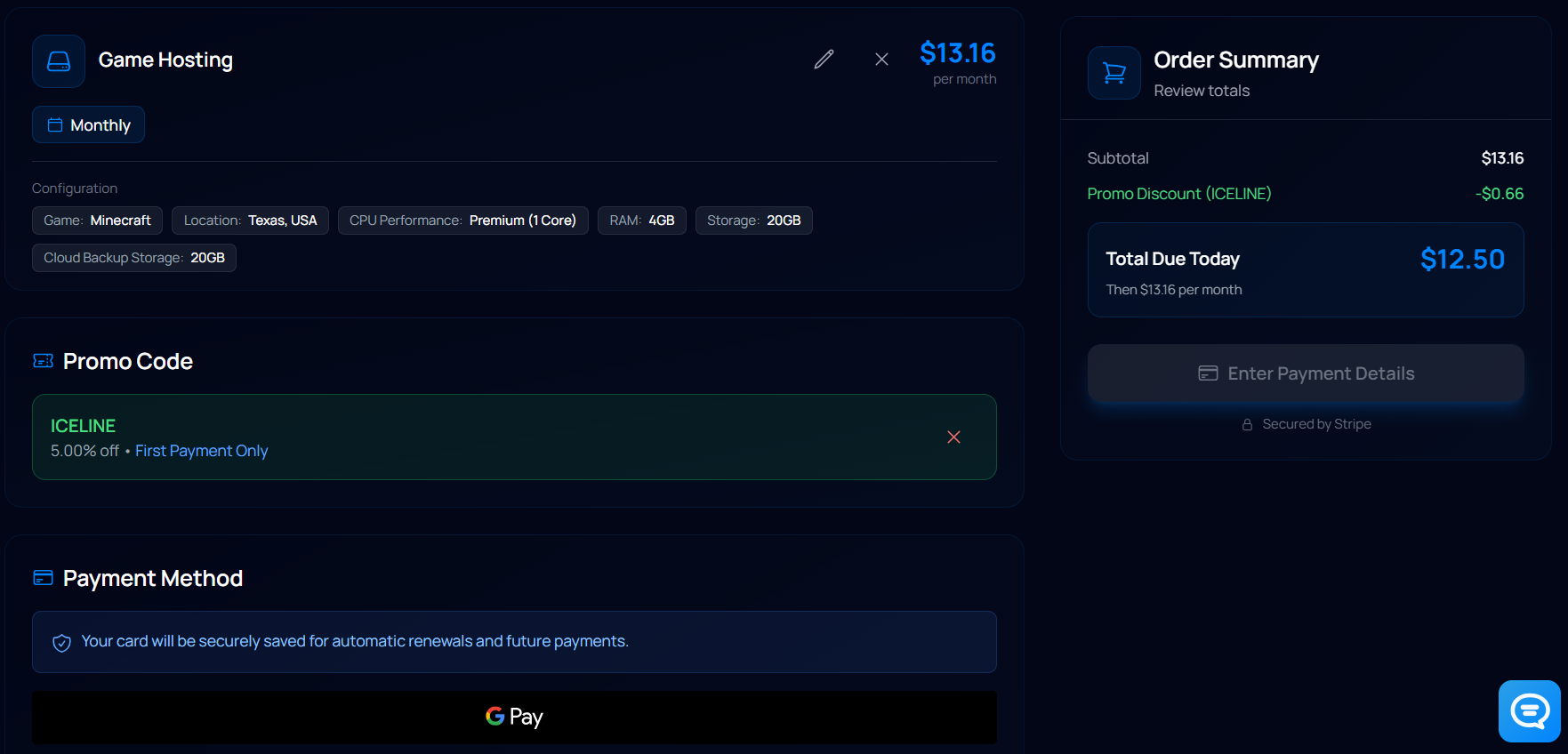
- Fill in your information
- Scroll down to see the available payment methods to complete the order
You will get the credentials and server information emailed to you once the payment is done. Orders are automatically processed in just a few minutes!
What features are available in the Minecraft Game Panel?
The game panel will be your tool to manage all of your game servers. Here, you can monitor your resource usage, make changes to the server, use the files manager to access your files, set up custom schedules, and for some games, such as Minecraft, install plugins and modpacks with a 1-click install.
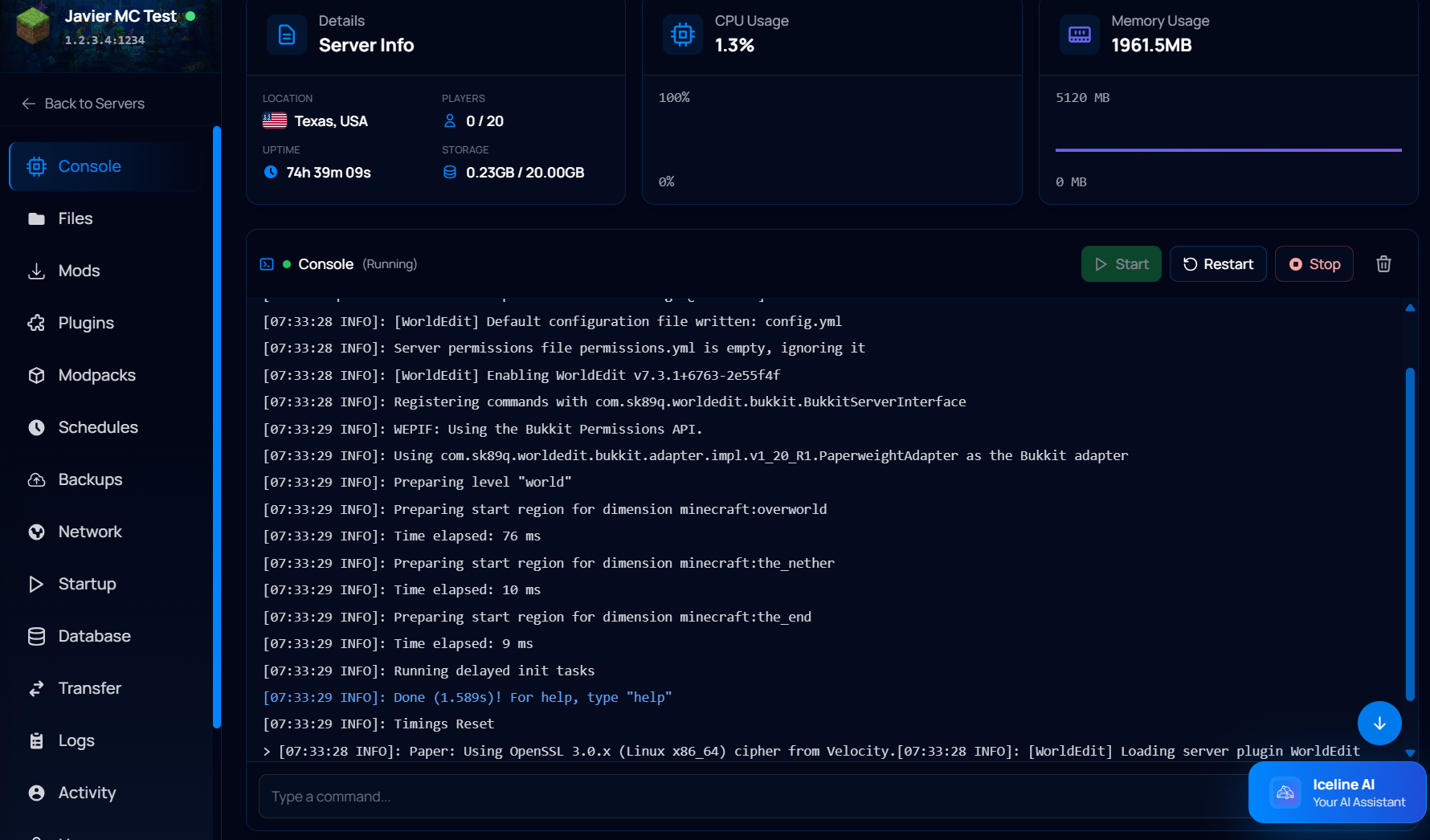
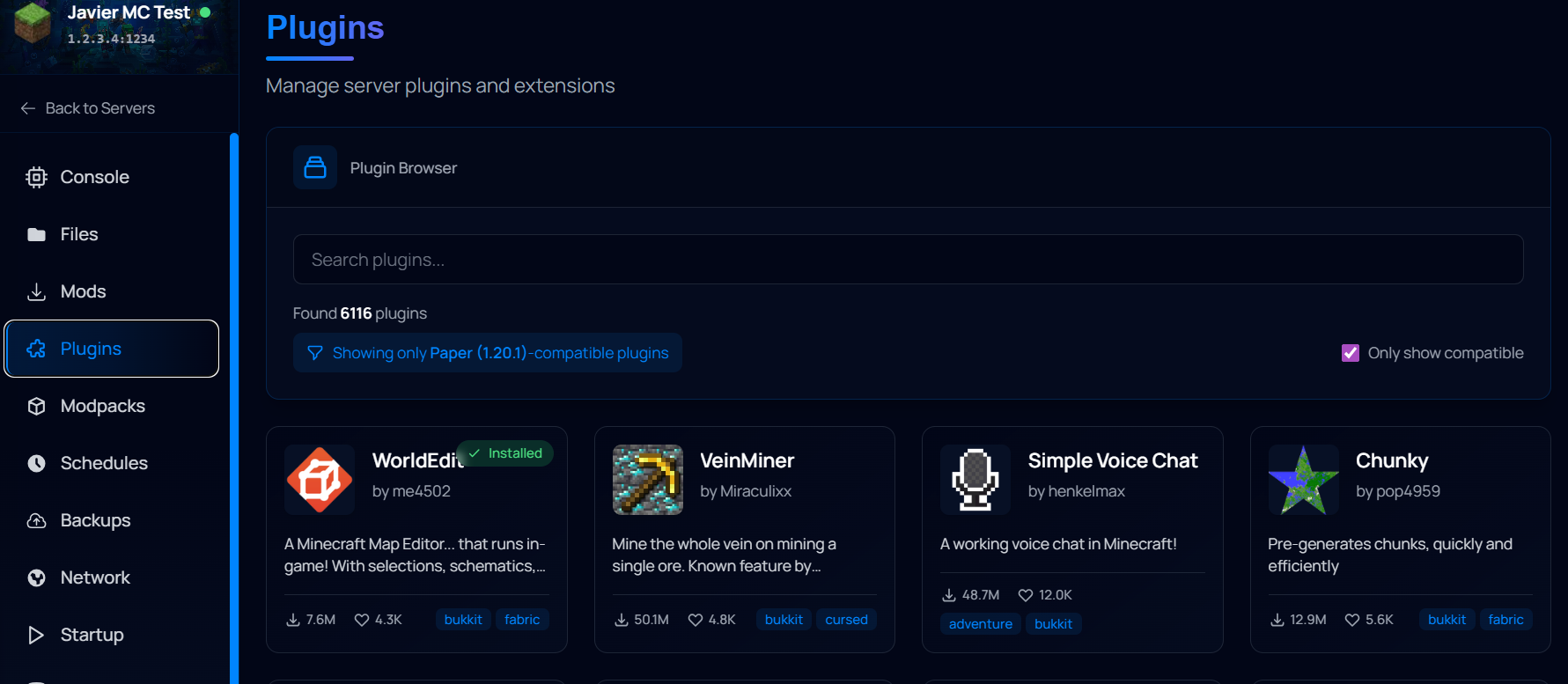
The Game panel also includes different tools such as links to our support system, service status monitor, or knowledgebase; SFTP credentials to manage your files with a program like Filezilla, the connection address to access your server, and our new powerful Iceline AI tool!
How to Buy and Setup Minecraft DDoS Remote Protection with a Game Proxy.
Don’t you have a service hosted with us? That is not a problem! You can purchase our Game Proxies, the Remote DDoS protection alternative for servers not hosted with us, just follow these steps:
- Head to the Game Proxy page, select the plan and location that fit your needs
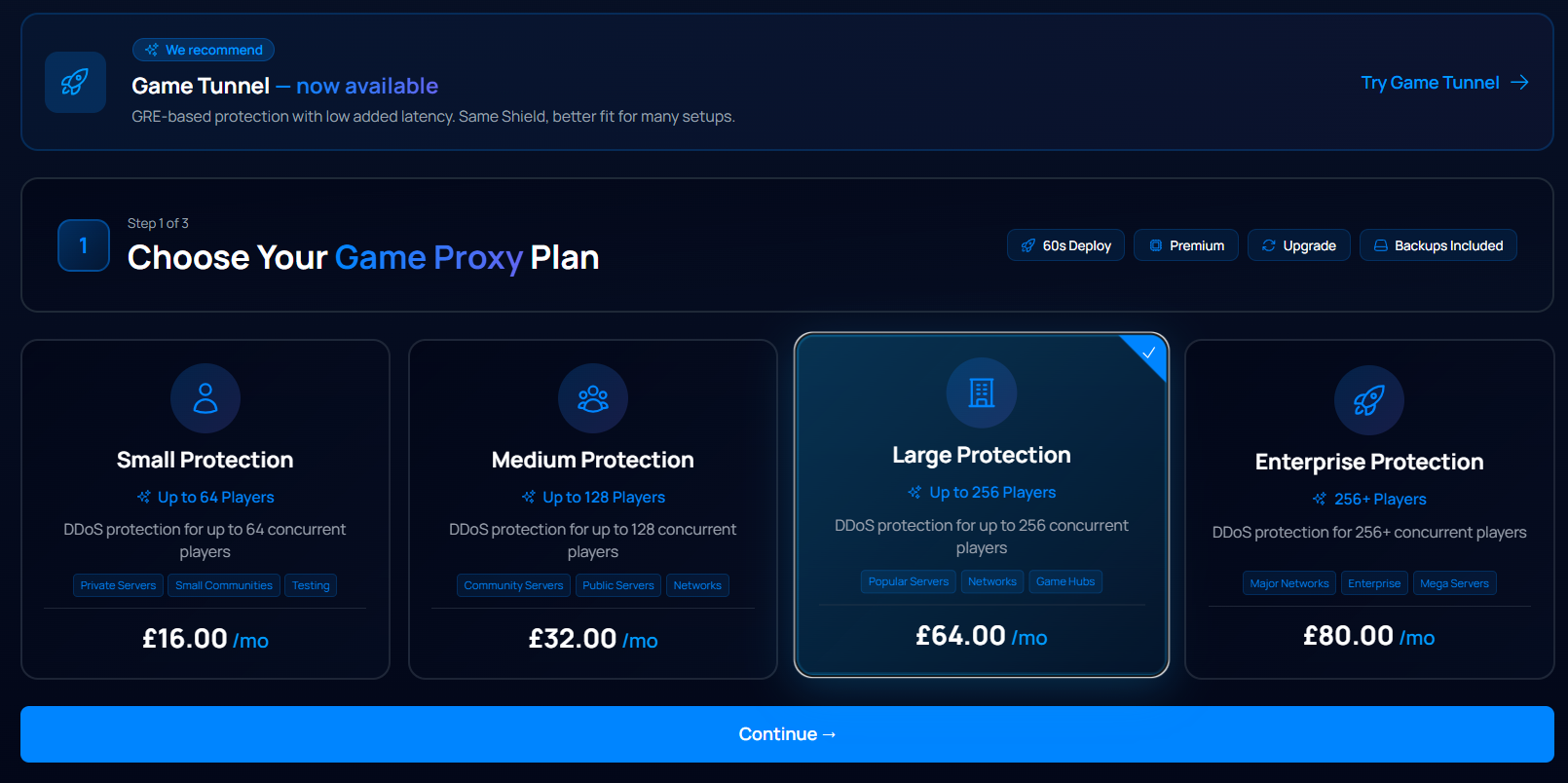
- Here you can change the billing cycle and review the details of your order, click on "Launch my Server" when you're ready to proceed!
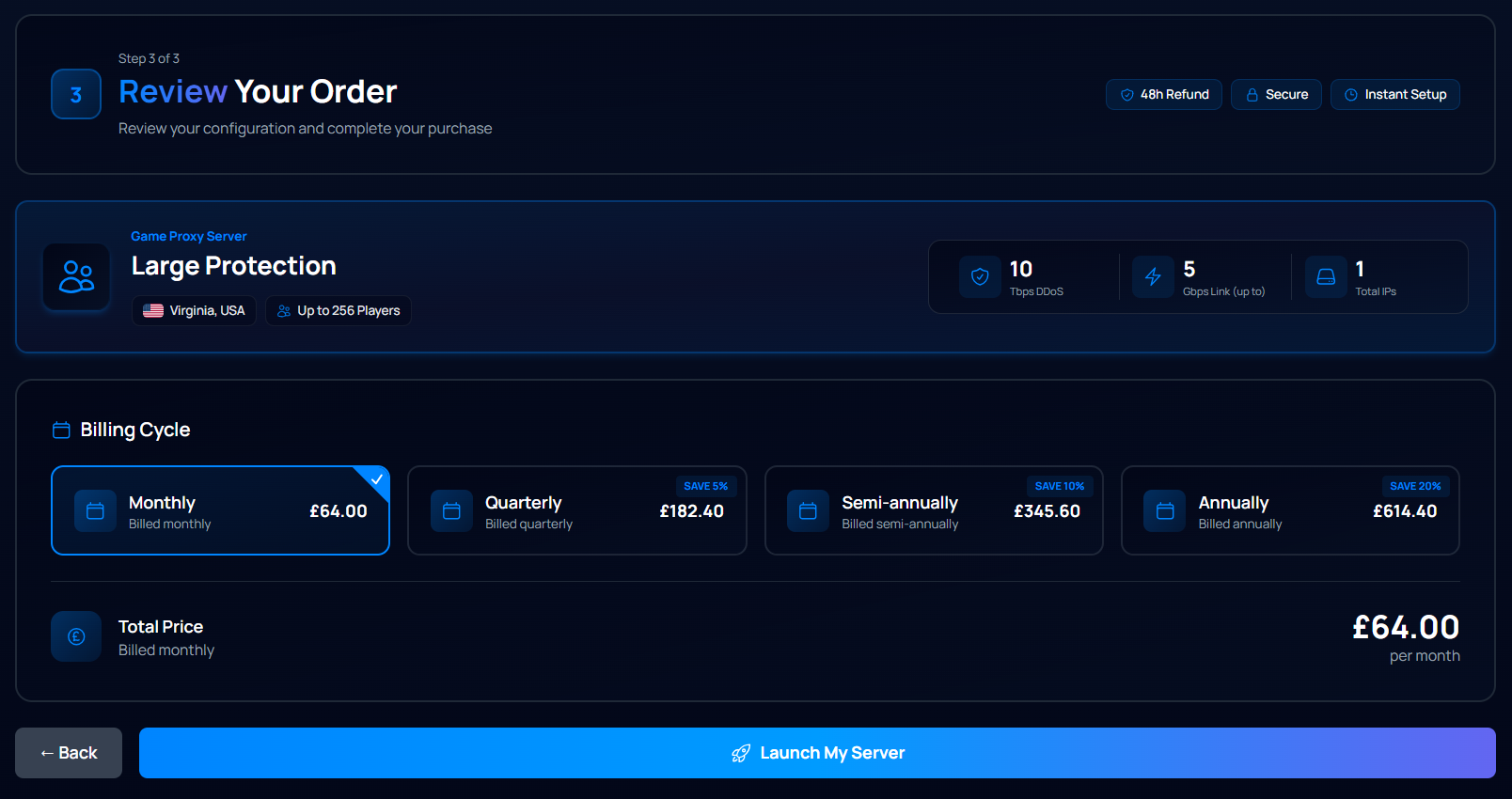
- This will redirect you to the shopping cart, where you can edit your order details.
- Once you’re done, fill the details and scroll down to pay for your order
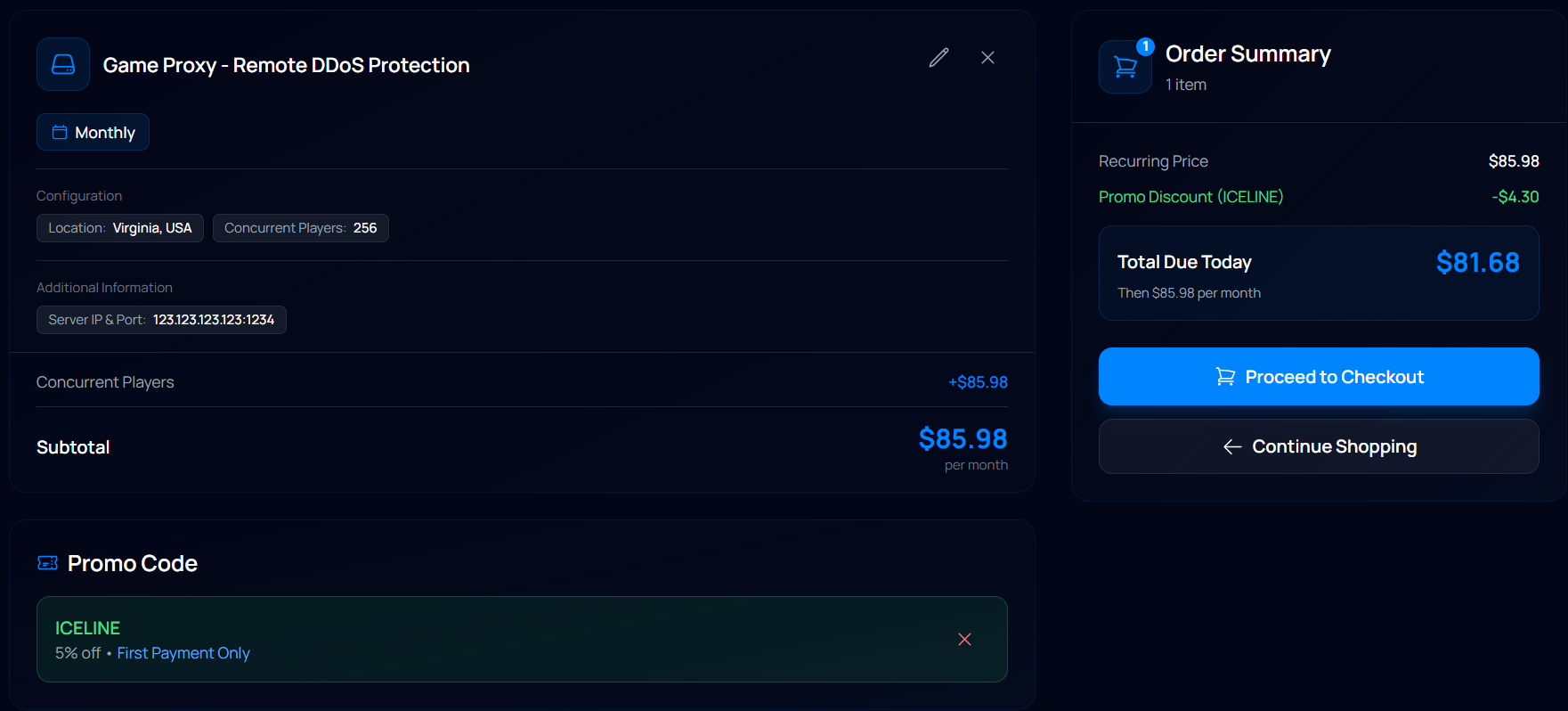
Once the payment is complete, you will get your service’s information emailed to you, and you will be able to access your Proxy through the shield panel
Setting up the Proxy
This process won't take more than a few minutes, and you will be able to manage your proxy right after that! To set up your proxy, follow these steps:
- Go to your proxy panel
- Select the service you want to link to your panel (it must be a game proxy or a different service with a DDoS IP, like a Game VPS plan).
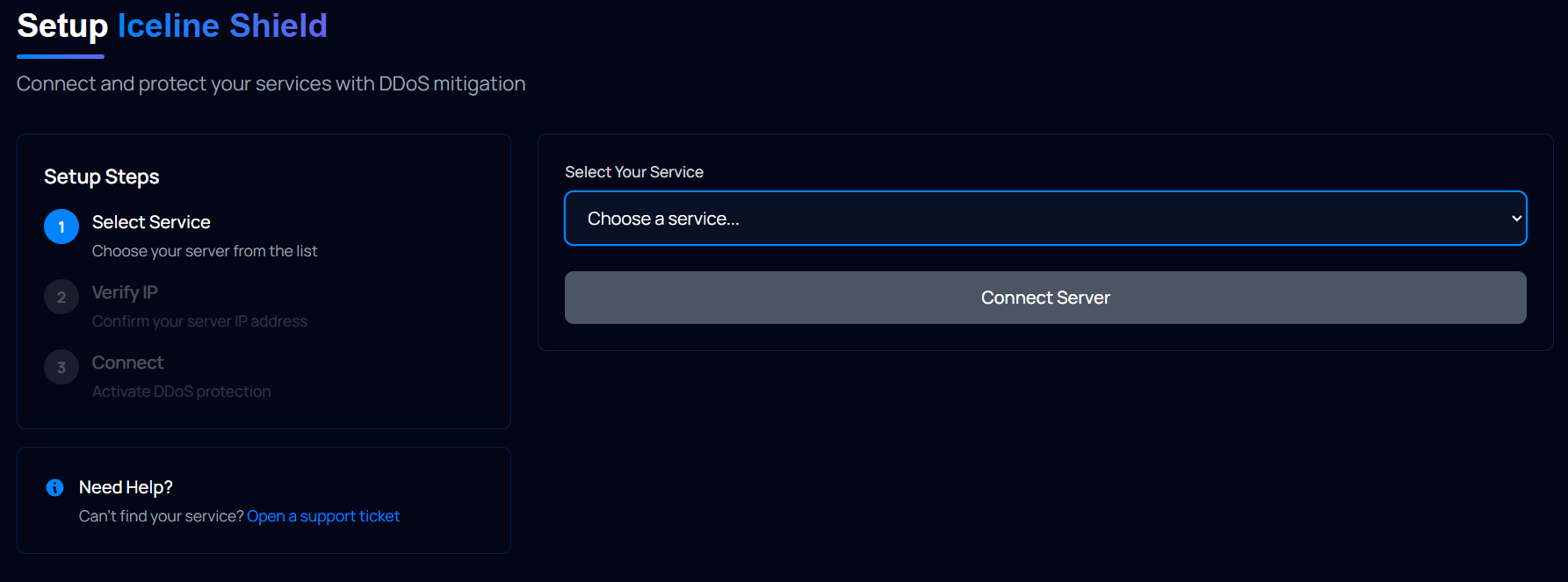
- Type the Server IP & Port you want to protect and click on proceed to connect the proxy to the panel.
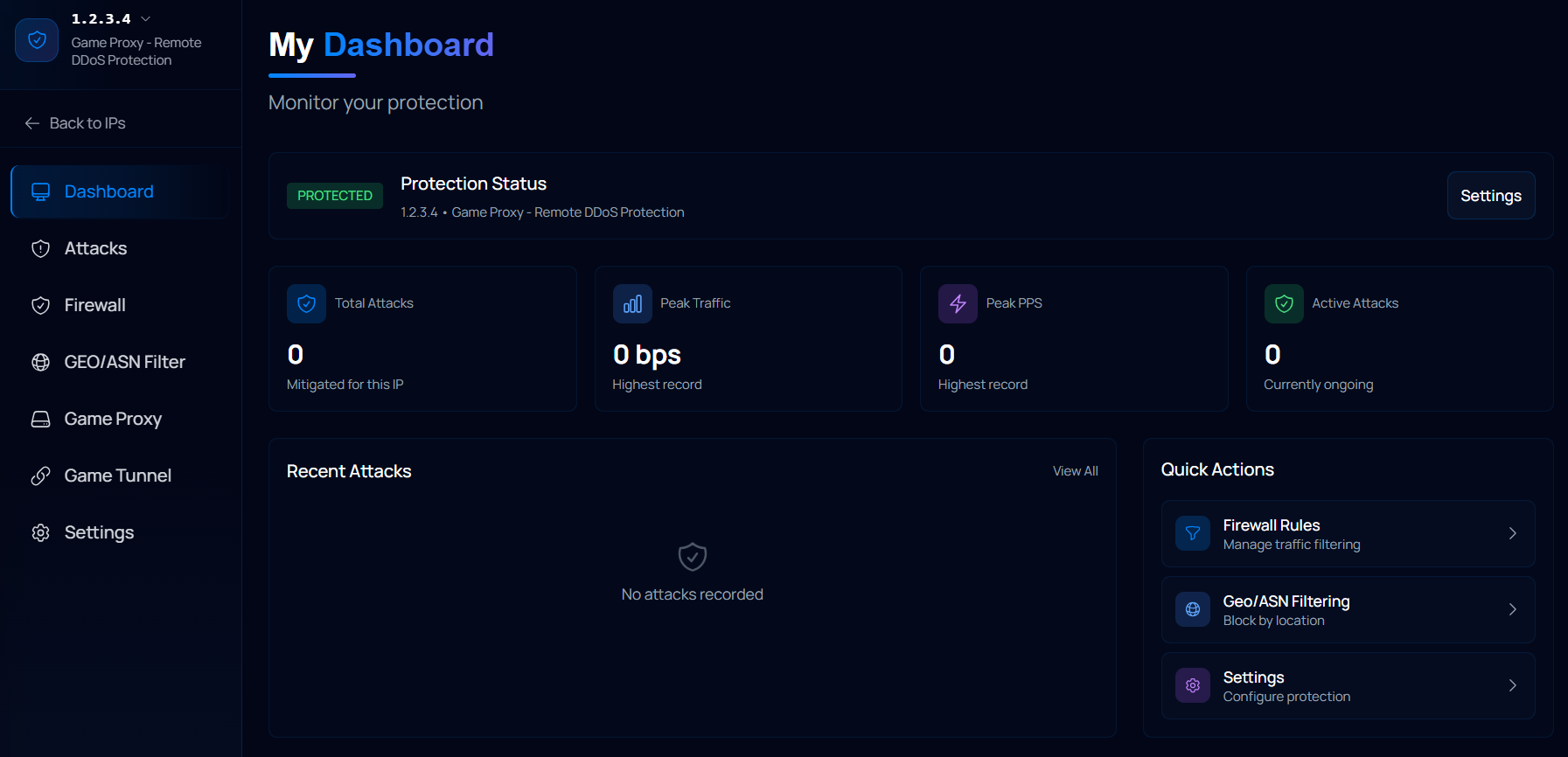
With this, the proxy will be connected to the panel, but still won't be fully working; you'll be missing just a small step:
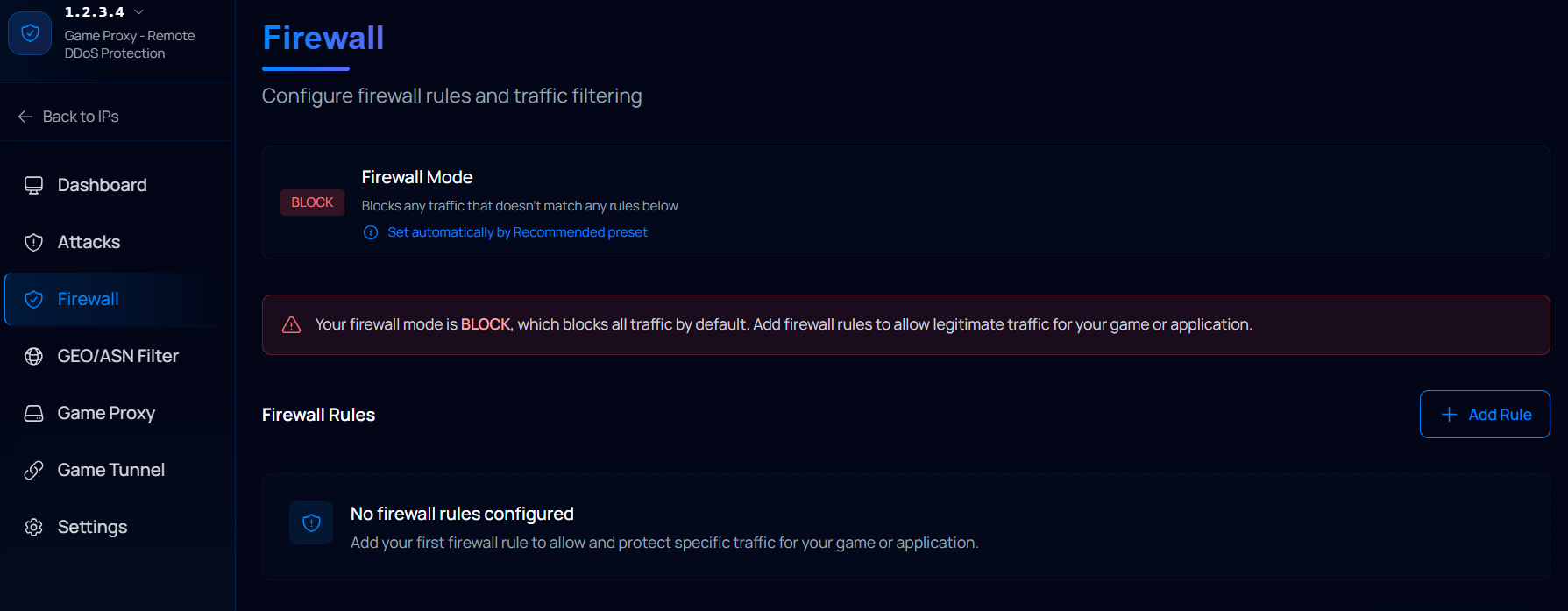
Creating firewall rules
- Head to the "Firewall" tab
- Click on "Add Rule" and select one of the Presets available for your game, in this case, the Minecraft Java preset.
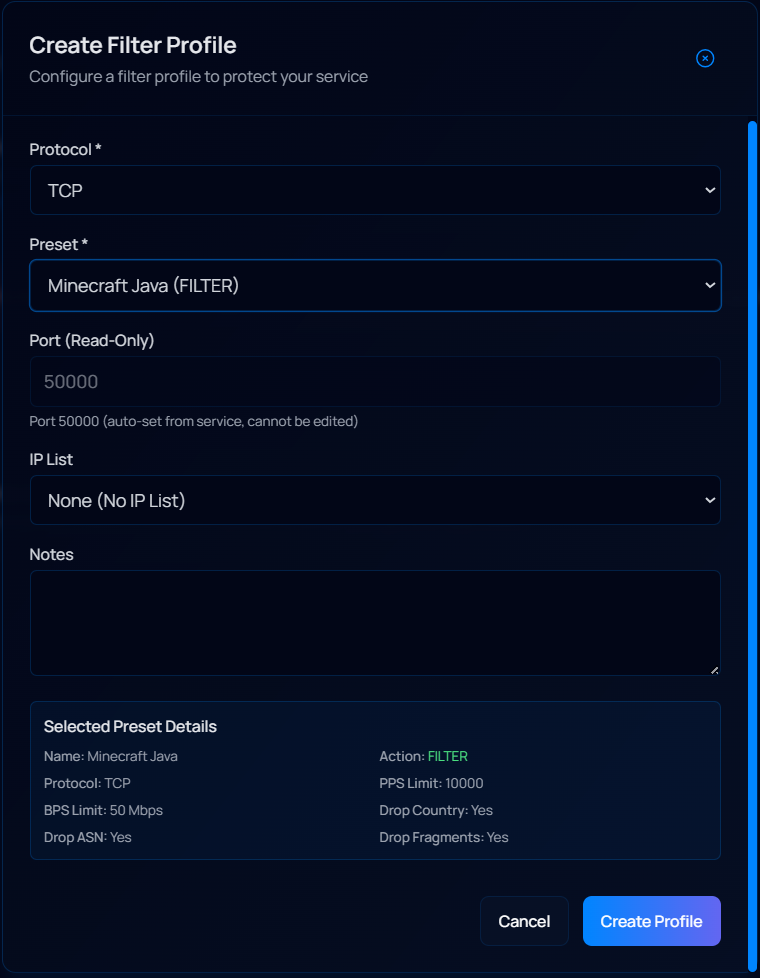
- Click on "Create Profile"
- Head to the "Game Proxy" tab and start your proxy
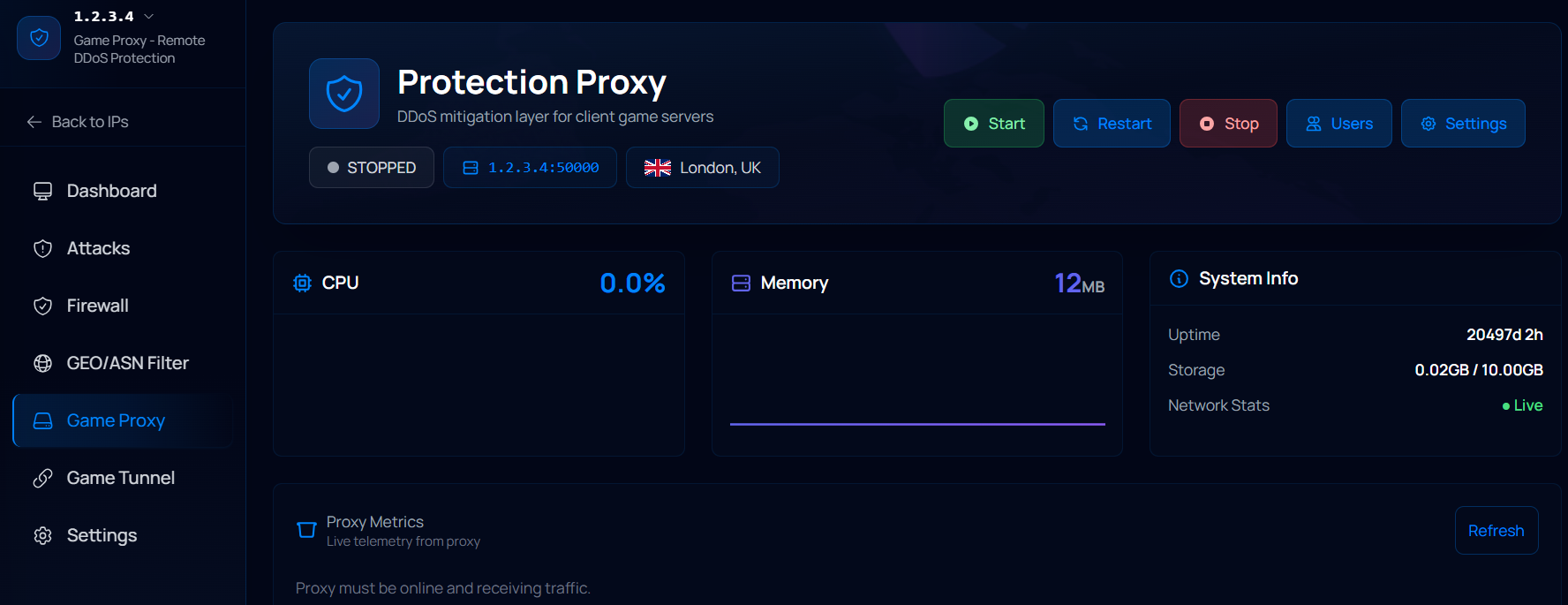
That’s it! The proxy will be ready to be used. You’ll need to use the Proxy IP (located down to the service’s name, which in this example is 1.2.3.4:50000) to connect to the server; your real server IP must remain hidden from players.
Facing any issues? Ask the Iceline AI to set up the protection for you!
That's right! Our Iceline AI is also compatible with Game proxies. Just open a chat with Iceline AI and ask them to set up filters for your game, and they'll do it in seconds! Do you need any specific changes for your game? The AI will review your requests and suggest changes accordingly. Managing a game proxy has never been this easy!

As mentioned before, all our services come with DDoS protection, so if you would rather set up a server manually and have more control over your resources, then one of our Game VPS might be the best solution for you! We have a blog article where we discuss the differences between a Game Server and a Game VPS to help you decide what’s the best option! You can go to it by clicking here
And with that, we’ve reached the end of the blog! We have a few other articles that will help you get started with some of the most popular Minecraft plugins and basic configuration for your server. Just head to our knowledge base here
If you have any questions, feel free to contact us through our Livechat during business hours, and if you experience any technical issues, please open a ticket. We’ll be more than happy to help.