How to Set Up A Database on Your Game Server
What Is a Database?
A database is where a game server stores its data in an organized way, so it can be read and used later on. If the game supports it, you can use a database to store players’ data, such as the items they have, their money, and more...
How to Create a Database for your Game Server
- Head to the Iceline Game Panel
- Select your server and access the console.
- In your server navigation bar, go to the “Databases” tab. (You may have to use the scroll bar to see it)
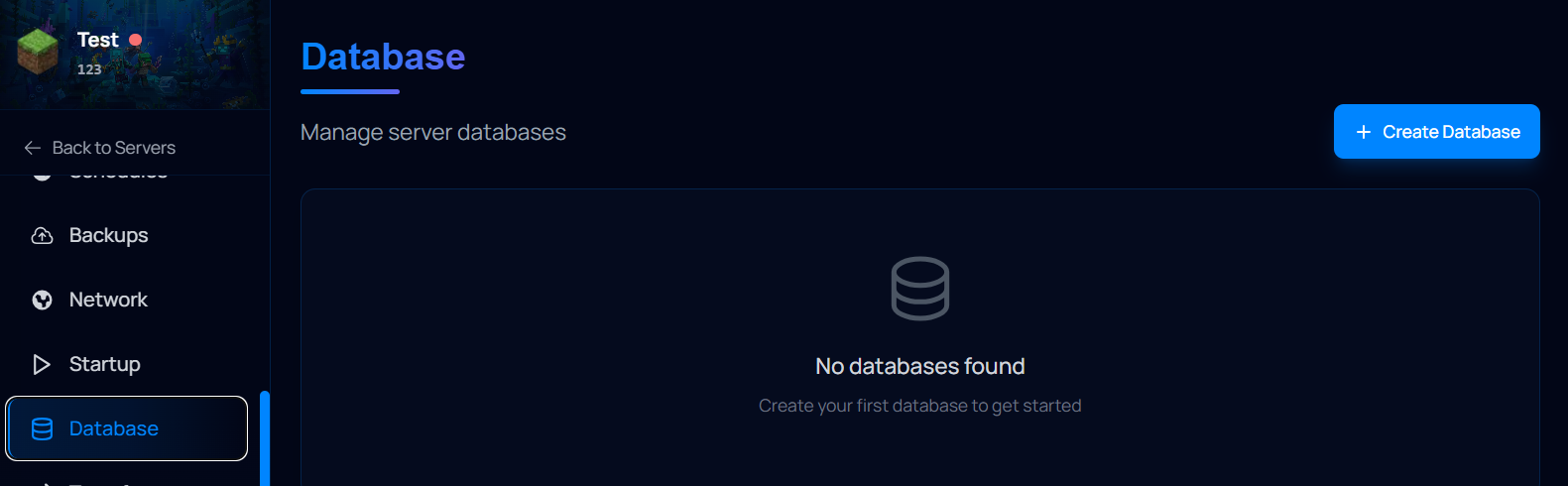
- On this page, you will see a button named "Create Database"
- Click on this button and put any name into the “Database Name”, this is just an identifier on the panel.
- Select the database type and location. Make sure the location is close to your server location.
- Choose a name for the database and a root password. Make sure to use a strong password.
- Press “Create Database” towards the bottom.
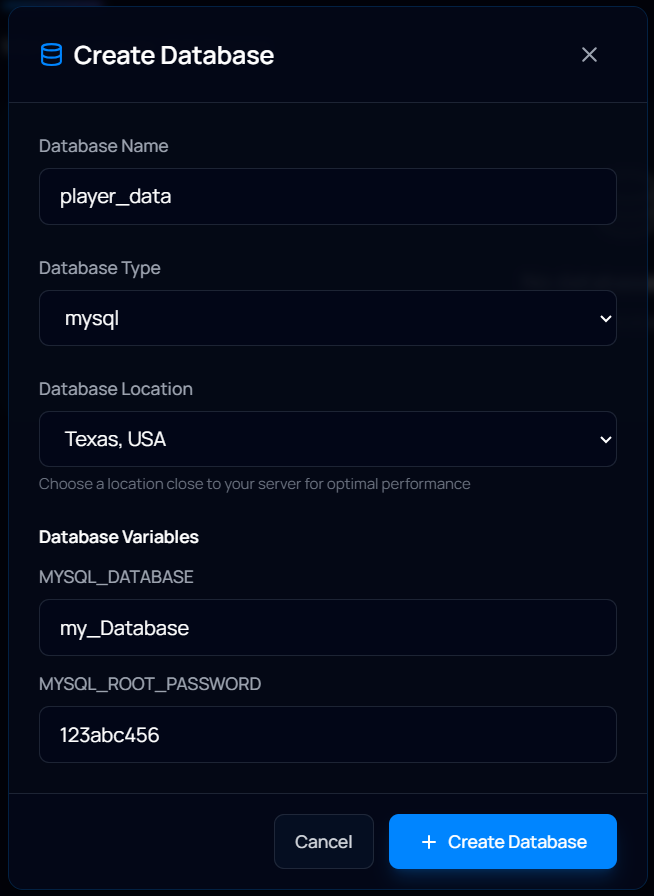
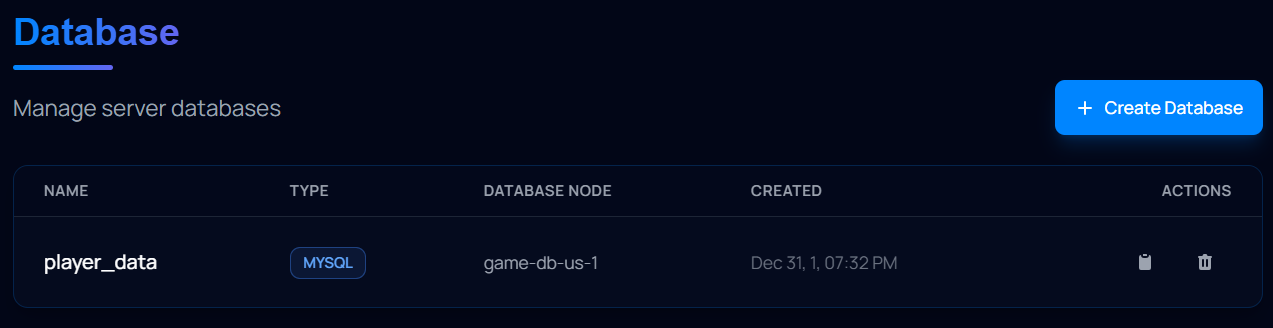
That's it! With this, your database has been created and can be accessed through an application like HeidiSQL. Make sure to save these credentials to a safe place.
How to connect to the database
Now that your Database has been created, you can access it using a database manager application like HeidiSQL. Just follow these steps:
Getting your database details
Before starting, make sure you have your Database details saved. You can find your Database IP and port on the Network tab of the game panel.

If you don't have your database details saved, you can get them through the connection string:
- Go to your game panel.
- Head to the Databases tab and click on the clipboard to copy your connection string.
- Paste your connection string somewhere temporarily (like Notepad).
- Locate your database username and password at the start of the string. In the example below, the bolded and cursive parts.
- Save these details somewhere safe.
Connecting to the database using HeidiSQL
Now that you have your database details, all that's left is to connect to the database using HeidiSQL or any other app. If you use HeidiSQL, follow these steps:
- In your PC, open HeidiSQL.
- Click on "New" to create a new session entry.
- Type your Database credentials in the respective boxes:
- Hostname/IP: Should be your database IP.
- User: Should be your database username.
- Password: Should be your database password.
- Port: Should be your database port.
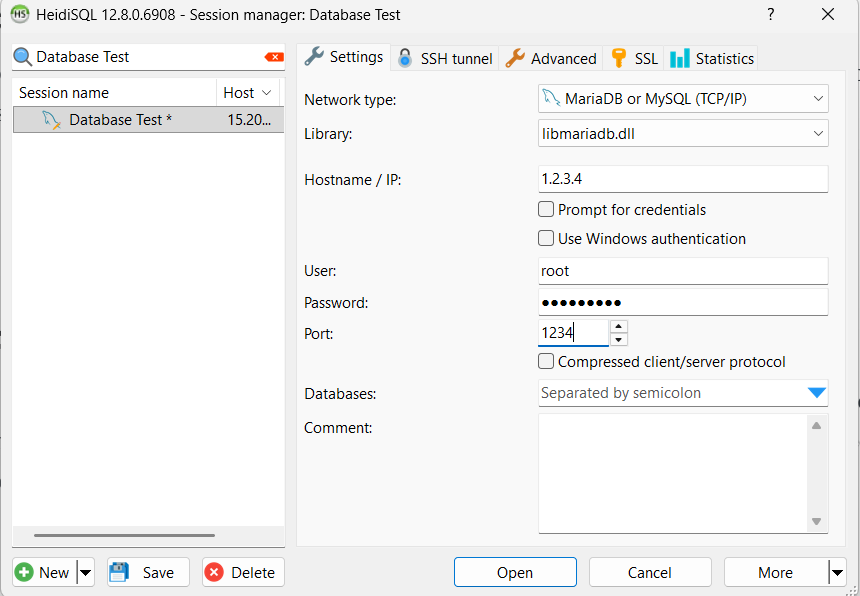
- Click on Open when you're ready to connect.
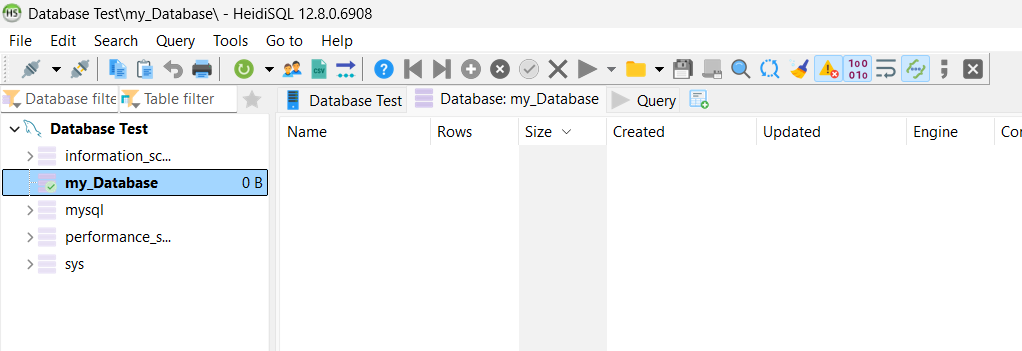
That's it! You can now create tables for your mods/resources to store the information.
Keep in mind that some mods may need to be edited to use your database details; otherwise, you may run into connection issues.
Facing Any Issues?
If you are having issues, please make sure you've selected a valid database name and that your game server supports it. Make sure you're using the right details. You can double-check that the information you selected is correct.
If you are still having issues after this, feel free to contact Iceline Hosting’s support for further assistance.